Player Two Co

The Best Nintendo Switch 2 Accessories to Gift

They already own the console, so the present has to be something that plugs into it. Here is what a Switch 2 genuinely needs, what it merely enjoys, and the one accessory most owners do not realize they have to buy.

By Stephen V.Last updated How we pick

Buying an accessory is the easiest gift in gaming to get right and a surprisingly easy one to get wrong. Right, because you already know the hardest fact — which console they own — and everything on this page is built for that exact machine. Wrong, because the Nintendo Switch 2 changed several things quietly, and two of the most obvious-looking purchases in the shop are the two that catch people out.

We sorted the options into three groups, and the order on this page follows them. First, what a Switch 2 genuinely needs: storage, because Nintendo changed the memory-card standard and the old cards no longer work. Second, what it uses constantly: a full-size controller, a case if the console leaves the house, a way to keep the small controllers charged. Third, what unlocks a feature that is otherwise simply missing — a camera, because GameChat can do video and the console ships without one.

Every pick below is an accessory we confirmed was in stock on the day this page was written, and every compatibility claim comes from Nintendo’s own support or store pages rather than from a spec sheet somewhere else. The prices you see are pulled live, so they are the price today rather than the price the day we wrote it. If the console itself is still the present you’re weighing up, read our Nintendo Switch 2 review first — it judges the machine as a gift rather than as hardware.

How this is funded: Player Two Co earns a commission if you buy through our links, at no extra cost to you. It never changes which gift we recommend, and we’ll tell you when we’d skip one. Full disclosure.

The picks at a glance

Ranked for who they suit and how safe a gift they are. Tap a row to jump to the full write-up. We haven’t hands-on-tested these — here’s exactly what we do instead.

#GiftBest forPrice
1
Samsung microSD Express Card 256GB for Nintendo Switch 2

Samsung microSD Express Card 256GB for Nintendo Switch 2

The one accessory a Nintendo Switch 2 genuinely needs rather than merely enjoys. Nintendo's own support pages say the Switch 2 is only compatible with microSD Express cards, so the card from their old Switch will not hold games on it — this is the card that fixes that, in the size Nintendo sells alongside the console.

Best overall
$59.00 · See it on Amazon

Price as of September 15, 2026. #ad How we’re funded

2
Nintendo Switch 2 Pro Controller

Nintendo Switch 2 Pro Controller

The full-size pad that makes a Switch 2 feel like a proper TV console. Nintendo's own listing gives it a C Button for GameChat, GL/GR buttons on the back you can map to anything, and a headphone jack on the bottom — the last of which quietly solves the headset question too.

Best upgrade
$89.00 · See it on Amazon

Price as of September 15, 2026. #ad How we’re funded

3
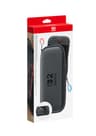
Nintendo Switch 2 Carrying Case & Screen Protector

Nintendo Switch 2 Carrying Case & Screen Protector

Nintendo's own case, and the tidiest way to solve two problems with one gift: the 7.9-inch screen is the largest and most scratchable part of a Switch 2, and this ships with a screen protector and a cleaning cloth in the box alongside the case itself.

Best for travel
$40.96 · See it on Amazon

Price as of September 15, 2026. #ad How we’re funded

4
Nintendo Joy-Con 2 Charging Grip

Nintendo Joy-Con 2 Charging Grip

Nintendo describes this one exactly right: attach the Joy-Con 2 controllers to it to use as a classic-style controller, or as a handy charging station. It is the cheap fix for the household whose spare controllers are always flat when someone wants to play.

Best small gift
$39.88 · See it on Amazon

Price as of September 15, 2026. #ad How we’re funded

5
Nintendo Joy-Con 2 Controller Pair

Nintendo Joy-Con 2 Controller Pair

A spare pair of the small controllers that clip onto a Switch 2. Buying a set means two more people can play at once, which is the actual reason most households want them.

Best for four players
$99.00 · See it on Amazon

Price as of September 15, 2026. #ad How we’re funded

6
Hori USB Camera for Nintendo Switch 2

Hori USB Camera for Nintendo Switch 2

GameChat lets Switch 2 players see each other while they play, but Nintendo's own page says you need to connect a compatible USB-C camera to video chat — and none comes with the console. This is the officially licensed one, at a small fraction of what the console cost.

Best for GameChat
$24.98 · See it on Amazon

$34.9929% off

Price as of September 15, 2026. #ad How we’re funded

7
Nintendo Switch Online Family Membership (12 months)

Nintendo Switch Online Family Membership (12 months)

The quiet gift that sorts out a whole household at once: a year of online play, cloud saves and the classic NES and SNES libraries, shared across up to eight Nintendo Accounts. If a Switch household keeps putting off paying for the online part, this is the present.

Safest bet
$34.99 · See it on Amazon

Price as of September 15, 2026. #ad How we’re funded

Every pick, explained

#1Best overall

Samsung microSD Express Card 256GB for Nintendo Switch 2

The one accessory a Nintendo Switch 2 genuinely needs rather than merely enjoys. Nintendo's own support pages say the Switch 2 is only compatible with microSD Express cards, so the card from their old Switch will not hold games on it — this is the card that fixes that, in the size Nintendo sells alongside the console.

Great because

  • Meets the microSD Express standard the Switch 2 requires — an ordinary microSD card does not
  • Made for the Switch 2 and carries Nintendo's licensing on the packaging
  • 256GB doubles the console's built-in storage, which is the first wall most owners hit

Keep in mind

  • Deeply unexciting to unwrap — it is a memory card, not a present in itself
  • Express cards cost noticeably more than the ordinary microSD cards they replace
Platform
Nintendo Switch 2
Type
Accessory
Works with
Nintendo Switch 2 only — not the original Switch, Lite or OLED
Good for
All ages

Skip it if: Skip if they only buy games on physical cards and never download, or if they have already bought an Express card — and pair it with something wrapped if you want the gift to feel like one.

Details read from the product listing on September 15, 2026. Price is live from Amazon.

#2Best upgrade

Nintendo Switch 2 Pro Controller

The full-size pad that makes a Switch 2 feel like a proper TV console. Nintendo's own listing gives it a C Button for GameChat, GL/GR buttons on the back you can map to anything, and a headphone jack on the bottom — the last of which quietly solves the headset question too.

Great because

  • Full-size grips instead of the small Joy-Con 2 controllers
  • Nintendo lists a 3.5mm audio jack on the pad, so a wired headset plugs straight in
  • Two extra back buttons (GL/GR) that you can map to any button you like

Keep in mind

  • Nintendo is explicit that it is only for use with Nintendo Switch 2 — it will not work on an original Switch
  • One of the pricier things on this page, and the console already comes with controllers
Platform
Nintendo Switch 2
Type
Gear
Works with
Nintendo Switch 2 only (per Nintendo's Pro Controller FAQ)
Good for
All ages

Skip it if: Skip if the person you are buying for has an original Switch, Switch Lite or Switch OLED rather than a Switch 2 — Nintendo says this pad will not work with them.

Details read from the product listing on September 15, 2026. Price is live from Amazon.

#3Best for travel

Nintendo Switch 2 Carrying Case & Screen Protector

Nintendo's own case, and the tidiest way to solve two problems with one gift: the 7.9-inch screen is the largest and most scratchable part of a Switch 2, and this ships with a screen protector and a cleaning cloth in the box alongside the case itself.

Great because

  • Nintendo's own case, sized for the Switch 2 rather than adapted from an older model
  • Includes the screen protector and cleaning cloth, so there is nothing else to buy
  • Room for game cards and Joy-Con 2 straps alongside the console

Keep in mind

  • Costs more than the third-party cases sold next to it, and there are a lot of those
  • A case is a practical present rather than an exciting one
Platform
Nintendo Switch 2
Type
Accessory
Works with
Nintendo Switch 2
Good for
All ages

Skip it if: Skip if the console never leaves the living room, or if they already keep it protected — a spare controller is the better gift in that house.

Details read from the product listing on September 15, 2026. Price is live from Amazon.

#4Best small gift

Nintendo Joy-Con 2 Charging Grip

Nintendo describes this one exactly right: attach the Joy-Con 2 controllers to it to use as a classic-style controller, or as a handy charging station. It is the cheap fix for the household whose spare controllers are always flat when someone wants to play.

Great because

  • Charges the small controllers instead of leaving them to drain on a shelf
  • Turns two Joy-Con 2 into one classic-shaped pad for playing on the TV
  • Nintendo includes the USB-C charging cable in the box

Keep in mind

  • Only useful if they own Joy-Con 2 controllers to put in it
  • Still smaller in adult hands than a full-size Pro Controller
Platform
Nintendo Switch 2
Type
Accessory
Works with
Joy-Con 2 controllers on Nintendo Switch 2
Good for
All ages

Skip it if: Skip if they only ever play in handheld mode, where the controllers charge on the console anyway.

Details read from the product listing on September 15, 2026. Price is live from Amazon.

#5Best for four players

Nintendo Joy-Con 2 Controller Pair

A spare pair of the small controllers that clip onto a Switch 2. Buying a set means two more people can play at once, which is the actual reason most households want them.

Great because

  • A pair adds two more players for party games
  • Detach into two separate mini-controllers
  • Official Nintendo hardware in several colors

Keep in mind

  • Small in adult hands for long sessions
  • Switch 2 Joy-Con do not work as controllers for the original Switch
Platform
Nintendo Switch
Type
Gear
Works with
Nintendo Switch 2
Good for
All ages

Skip it if: Skip if they mostly play alone — a single full-size Pro Controller is the better upgrade.

Details read from the product listing on August 11, 2026. Price is live from Amazon.

#6Best for GameChat

Hori USB Camera for Nintendo Switch 2

GameChat lets Switch 2 players see each other while they play, but Nintendo's own page says you need to connect a compatible USB-C camera to video chat — and none comes with the console. This is the officially licensed one, at a small fraction of what the console cost.

Great because

  • Officially licensed by Nintendo, per the listing, and plugs into the console's USB-C port
  • Much cheaper than Nintendo's own-brand camera, which mostly turns up second-hand
  • Unlocks the one Switch 2 feature that needs an accessory to work at all

Keep in mind

  • GameChat needs an internet connection and a paid Nintendo Switch Online membership
  • A camera pointed at a child's room is a parent's decision, not an automatic yes
Platform
Nintendo Switch 2
Type
Accessory
Works with
Nintendo Switch 2 GameChat video (USB-C)
Good for
All ages

Skip it if: Skip if they play alone or offline, or if you would rather not add a camera to a child's setup — GameChat voice chat works without one.

Details read from the product listing on September 15, 2026. Price is live from Amazon.

#7Safest bet

Nintendo Switch Online Family Membership (12 months)

The quiet gift that sorts out a whole household at once: a year of online play, cloud saves and the classic NES and SNES libraries, shared across up to eight Nintendo Accounts. If a Switch household keeps putting off paying for the online part, this is the present.

Great because

  • One membership covers up to eight Nintendo Accounts, not just one person
  • Includes the classic NES and SNES game libraries at no extra cost
  • Arrives as a code, so it can't be the wrong size, color or console

Keep in mind

  • Invisible as a present — there is nothing physical to unwrap
Platform
Nintendo Switch
Type
Gift card
Works with
Any Switch, Switch Lite, Switch OLED or Switch 2 with a Nintendo Account
Good for
All ages

Skip it if: Skip if they only play single-player games offline, or if someone in the house already pays for it.

Details read from the product listing on August 18, 2026. Price is live from Amazon.

How we picked

A gift accessory has to clear a higher bar than one someone buys for themselves, because you are spending your money on a guess. We applied four rules, in this order.

It has to fit the Switch 2 specifically.Nintendo changed enough between generations that a shelf of “Nintendo Switch” accessories is now half wrong. Every pick here states what it works with on its card, and the two picks that are Switch 2 only say so in the cons rather than in the small print.

It has to get used. Storage, controllers, charging and travel protection are the four things every console household ends up buying eventually. We would rather give someone a present they would have bought anyway than a novelty that lives in a drawer.

It has to be honest about who it suits.A camera is wrong for someone who plays alone. A case is wrong for a console that never leaves the sofa. Every card below carries a “skip this if” line for exactly that reason.

And the cheapest legitimate option wins.Where Nintendo’s own-brand version and a licensed third-party version do the same job, we say so — the camera pick on this page is the licensed one precisely because it costs a fraction of the first-party alternative and does the same thing.

The memory-card trap, in plain English

This is the single most useful thing on the page, so it gets its own section.

The Nintendo Switch 2 comes with 256 GB of internal storage — eight times what the original Switch had, in Nintendo’s own words. That sounds like plenty, and for someone who buys games on cards it often is. For someone who downloads, it isn’t: modern Switch 2 games are large, and a few of them fill a meaningful slice of that on their own.

Here is the part nobody expects. The Switch 2 does not accept ordinary microSD cards. Nintendo’s compatibility article states it flatly: the console is only compatible with microSD Express cards, a newer and faster standard. Nintendo goes further and spells out the consequence — putting a card that was previously used in an original Switch into a Switch 2 will not let them save or load digital games or save data on it.

So the 128 GB card in their old console is not a hand-me-down. It can still be used to bring screenshots and videos across, which Nintendo supports through an import option, but game saves and downloaded games cannot live on it. If you are buying for someone who has just upgraded, there is a decent chance they have not discovered this yet, and a very good chance they will be pleased rather than underwhelmed.

Two practical notes. Express cards are identified by a microSD EXsymbol on the packaging, and Nintendo supports capacities up to 2 TB — so there is no need to buy the biggest card on the shelf. 256 GB doubles what the console has built in and is the size Nintendo sells alongside the system, which is why it is our pick.

Pro Controller, Joy-Con 2, or the charging grip?

Three of the picks above are controller-related and they solve genuinely different problems, so it is worth thirty seconds to choose the right one.

Buy the Pro Controllerif they play on the TV. It is a full-size pad instead of two small ones clipped to a console, and Nintendo lists three things on it that matter: a C Button that opens GameChat, GL and GR buttons on the back that can be mapped to any button you like, and an audio jack on the bottom for headphones and headsets. That last one quietly solves the headset problem, because a cheap wired pair plugs straight into the controller.

One hard warning on it, and it is the reason this pick carries a con rather than a footnote: Nintendo’s own FAQ answers the compatibility question with a flat no— the Nintendo Switch 2 Pro Controller is only for use with Nintendo Switch 2. If the person you are buying for has an original Switch, a Switch Lite or a Switch OLED, this is the wrong pad and the previous-generation Pro Controller is the one you want.

Buy a spare pair of Joy-Con 2 if the goal is more players rather than more comfort. A second pair means two more people at the table for a party game, which is the actual reason most households buy them. It is also the most expensive of the three, so be sure the gift is aimed at a house that plays together.

Buy the charging gripif they already have the spare controllers and the problem is that they are always flat. Nintendo’s description is admirably plain: attach the Joy-Con 2 to it to use as a classic-style controller, or as a charging station. It is the cheapest fix on this page and the one most likely to be used every single day. Our Pro Controller versus Joy-Cons comparison lays out the same trade-off in more detail.

What GameChat needs before the camera is any use

GameChat is the Switch 2 feature people ask about most, and it is also the one with the most conditions attached. Pressing the C Button on the right Joy-Con 2 starts a chat, and from there players can talk, share their game screen, and video chat.

Two things are true about that last part. The console has no camera built in, so to video chat you have to connect a compatible USB-C camera — Nintendo says so directly and sells its own, separately. And GameChat is an online feature, which means Nintendo requires an internet connection, a Nintendo Account and a paid Nintendo Switch Online membership for it to work at all.

That is why a camera and a membership both appear on this list, and why we would suggest checking which one is actually missing before you buy. A camera given to a household with no membership does nothing. A membership given to a household that already pays for one is money gone. If you are not sure which subscription they have, our guide to gaming subscriptions explains the tiers in plain language.

One more consideration that is not technical at all: pointing a camera into a child’s room is a parenting decision, not a specification. Voice chat works without one. If you are buying for someone else’s child, this is the pick to check with the parent first.

What a Switch 2 does not need

Three things we deliberately left off, because a good gift list is partly a list of things not to buy.

A second dock. It is the accessory people assume they want for a bedroom TV, and it is an expensive way to solve a problem that a longer cable usually solves for a fraction of the price.

A screen protector on its own.The 7.9-inch screen is the most scratchable part of the console and protecting it is sensible — but Nintendo includes a screen protector and a cleaning cloth with its carrying case, so buying the case gets you both and makes a better-looking present than a sheet of glass in an envelope.

Anything sold as “for Nintendo Switch” without the 2. Grips, docks and charging stands built for the original console do not necessarily fit a machine that is a different size and whose controllers attach with magnets rather than sliding down a rail. When in doubt, check the listing for the words Switch 2, not just Switch.

What to spend, and how to make it feel like a present

Accessories sit in a helpful range for gifting. The charging grip, the case and the camera are all modest, birthday-sized purchases; the memory card and the Pro Controller sit a step above that; a spare pair of Joy-Con 2 is the most expensive thing here and is the one to choose only if the household genuinely plays four-player. Live prices are on every card above, so you can see today’s numbers rather than ours.

If your budget stretches further, the games are the better second half of the gift — our best Nintendo Switch 2 games to gift list covers what to put in the box alongside any of these, including the three buying traps specific to Switch 2 software. And if you want the accessory to be the small thing next to something larger, the gifts under $100 and gifts for Nintendo Switch fans lists are the natural next stops.

Frequently asked questions

Can I use an old microSD card from a Nintendo Switch in a Switch 2?

Not for games. Nintendo states that the Switch 2 is only compatible with microSD Express cards, and that inserting a card previously used in an original Switch will not let you save or load digital games or save data. You can still import screenshots and videos from the old card, but game saves and downloads need an Express card. Look for the microSD EX symbol on the packaging.

How much storage does a Nintendo Switch 2 have, and is a memory card necessary?

Nintendo's own figure is 256 GB of internal storage, eight times what the original Switch had. Whether a card is necessary depends on how they buy games: someone who buys on cards may never need one, while someone who downloads will fill it. Nintendo supports microSD Express cards up to 2 TB, so there's no need to buy the largest card available.

Will a Nintendo Switch 2 Pro Controller work on an original Switch?

No. Asked that question directly, Nintendo's FAQ answers that the Nintendo Switch 2 Pro Controller is only for use with Nintendo Switch 2. If the person you're buying for has an original Switch, a Switch Lite or a Switch OLED, buy the previous-generation Pro Controller instead — it's a different product with a similar name.

Do you need a camera for GameChat on Switch 2?

Only for video. Pressing the C Button on the right Joy-Con 2 starts a chat where players can talk and share their game screen with no accessory at all. To video chat, Nintendo says you connect a compatible USB-C camera, which is sold separately. GameChat also requires an internet connection, a Nintendo Account and a Nintendo Switch Online membership.

What's the best Switch 2 accessory to give a child?

The charging grip or the carrying case, usually. Both are inexpensive, neither needs an account or a subscription, and both solve a problem the household already has — flat controllers, or a console being carried around unprotected. A camera is the one pick to clear with a parent first, because it adds video chat to a child's setup.

Is the official Nintendo accessory always the one to buy?

No, and we say so where it matters. The carrying case is a case where Nintendo's own version earns its price because the screen protector and cloth come in the box. The camera is a case where it doesn't: an officially licensed third-party camera does the same job for a fraction of the cost, which is why it's the pick here.

They just got a Switch 2 — what's the single best thing to buy them?

A microSD Express card, if they download games. It's the one accessory the console genuinely requires rather than merely benefits from, most new owners don't realize their old card won't work, and it costs less than a controller. It isn't exciting to unwrap, so pair it with a game or a small extra if the gift needs a bit of ceremony.

Sources

  • Nintendo Support — microSD Card and microSD Express Card Compatibility with Nintendo Switch 2Nintendo's own compatibility article: “Nintendo Switch 2 is only compatible with microSD Express cards”, and “inserting a microSD card that has been previously used on a Nintendo Switch console into a Nintendo Switch 2 console will not allow you to save or load digital games or save data”; microSD Express cards up to 2TB are supported, and the card is identified by the microSD EX symbol on its packaging (accessed September 15, 2026)
  • Nintendo Support — microSD Express Card FAQNintendo's own FAQ: “microSD Express cards offer faster access speeds than previous microSD card models. This kind of memory card is needed to ensure games will run smoothly”; only microSD Express cards can be used to save game data, screenshots and videos on Nintendo Switch 2; any card up to 2TB meeting the microSD Express standard can be used; screenshots and videos from an old Nintendo Switch microSD card can be imported, but game save data cannot (accessed September 15, 2026)
  • Nintendo — Nintendo Switch 2: System Features and Play ModesNintendo's own features page: the system “comes with 256 GB of internal storage—8x the capacity of Nintendo Switch” and a 7.9-inch 1080p LCD screen “featuring support for HDR, VRR, and up to 120 fps in compatible games”; “strong magnets keep the controllers firmly attached to the system”; pressing “the C Button on the right Joy-Con 2 controller” starts an online chat where you can voice chat, share your screen and video chat; to video chat you “connect a compatible USB-C camera, like the Nintendo Switch 2 camera (sold separately)”; and “internet, Nintendo Switch Online membership and Nintendo Account required for online features, including GameChat” (accessed September 15, 2026)
  • Nintendo Support — Nintendo Switch 2 Pro Controller FAQNintendo's own FAQ for the pad: it “includes a C Button for opening the GameChat menu at any time”, “GL/GR Buttons that you can freely map to any button you choose” and “an audio jack for headphones and headsets”; a full charge takes approximately 3 hours; and, asked whether it works with the original console, Nintendo answers “No. The Nintendo Switch 2 Pro Controller is only for use with Nintendo Switch 2” (accessed September 15, 2026)
  • Nintendo Store — Nintendo Switch 2 Carrying Case & Screen ProtectorNintendo's own store listing: the product is “a stylish and sturdy carrying case, along with a screen protector and cleaning cloth”, with space inside for game cards and Joy-Con 2 straps alongside the console (accessed September 15, 2026)
  • Nintendo Store — Joy-Con 2 Charging Grip for Nintendo Switch 2Nintendo's own store listing: “attach the Joy-Con 2 controllers to the Joy-Con 2 charging grip to use as a classic-style controller—or a handy charging station”, and the grip “includes USB-C charging cable” (accessed September 15, 2026)
  • Amazon — Video Games storeAmazon's video-games storefront, where the games, gift cards and gear on this site are sold and priced (accessed July 22, 2026)

Keep browsing