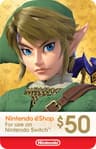
Identify the platform in thirty seconds
This is the only part of a last-minute gaming gift that can actually go wrong, so it’s worth the half minute.
A Nintendo Switch is a tablet-shaped screen with small controllers clipped to its sides, usually sitting in a dock next to the TV. A PlayStation controller is symmetrical — both thumbsticks at the same height — typically white, with a flat touchpad in the middle and a light strip around it. An Xbox controller has thumbsticks at different heights and a large X in the center. A PC gamer plays at a desk with a keyboard and mouse, and their games almost certainly live in Steam.
If you can’t see any of it, ask someone in their household rather than guessing. Our controller identification guide has photos-worth-of-detail on the two that get confused most often.
Codes, and what actually happens after you pay
A digital code is emailed to the buyer — that’s you — rather than to the recipient. You’ll get a message with a long string of characters, or a link to your account’s game-library page where the code is shown.
Delivery is normally quick, but it is not always instant: a first order on a new account, or a payment method the shop wants to verify, can add a delay. If the occasion is in an hour, buy now rather than at the last possible moment, and check your junk folder before panicking.
One platform does have a proper built-in gifting route worth knowing about: Xbox lets you buy a digital game as a gift and send it to a friend or an email address, provided you’re both in the same country. Our how to gift Xbox games guide walks through where that button is. Steam has something similar and, since July 2026, an easier one: you can send a game to a plain email address without a Steam account of your own, or gift it to a Steam friend with scheduled delivery on a date you choose.
Subscription or credit?
Credit — a store card — is the safest choice. It never expires into nothing, they choose what to spend it on, and it can’t duplicate something they own. It is also, undeniably, the least imaginative option, which is why the section below exists.
A subscription is the more generous-feeling gift for someone who plays a lot: a few months of a big game library is more to open than the equivalent dollars of credit, and it introduces them to games they’d never have bought. The trade-off is that it ends. Our guide to gaming subscriptions explains what each one actually includes, and Game Pass versus buying games covers when a subscription beats owning something outright.
How to make a code feel like a present
The weakness of a digital gift is that there’s nothing in their hands on the day. Three fixes, in ascending order of effort.
Print it and put it in a card. Sounds obvious; almost nobody does it. A printed code in a proper card beats a forwarded email by a wide margin, because it exists as an object.
Wrap it with something small and physical. A $10 accessory, a bag of good coffee, a plush from a series they like. The physical thing is what gets opened; the code is what gets used. Our under $25 list is full of suitable partners, and if a shop near you is still open, this is the bit worth walking out for.
Write down what it’s for. “This is three months of the thing you keep saying you’d try” or “for that game you mentioned in October” turns generic credit into evidence that you were listening. It costs nothing and it is the entire difference between a thoughtful digital gift and a transfer.
What not to do the night before
Don’t order a physical game and hope. Even fast shipping has a cut-off, and a game that arrives two days late is worse than a code that arrived on time, because you’ve spent the money and still have nothing to give.
Don’t buy a console-specific accessory in a hurry either — that’s the category where guessing wrong is most likely and least fixable. And don’t buy a game you haven’t checked the age rating on if it’s for someone else’s child; our age ratings guide takes two minutes and prevents an awkward conversation with a parent.