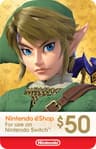
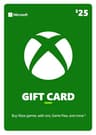
The one card you can’t buy on Amazon: Steam
If the person plays on a computer rather than a console, the card you want is a Steam gift card — and Amazon is not where to get it. We checked Amazon’s US catalog on August 31, 2026: the long-standing Valve Steam Wallet prepaid card listing returned “Currently unavailable,” and searching for a Steam gift card mostly returns Nintendo, PlayStation, Xbox and Roblox cards instead — every platform except the one you searched for.
Buy Steam credit from Steam itself. Valve sells digital cards at $5, $10, $25, $50 and $100, and since its July 2026 gifting update you can send one to a plain email address, or buy it through guest checkout without a Steam account of your own. Physical Steam cards exist too, sold in shops that stock them. Our Steam gift cards explained guide covers all three routes and the amounts.
What Amazon is good for on the PC side is Steam game codes — a specific game, delivered as a code to your own inbox, which you can print, wrap or forward whenever you like. Our best Steam games to gift list is built entirely from those, and gifts for PC gamers under $50 mixes them with desk gear at the same budget.
How much to put on a card
Amounts matter more than people expect, because each band buys a different kind of thing.
- $10–$20: an in-game purchase, a cheap game in a sale, or a top-up toward something they’re saving for. Best used alongside something physical rather than on its own.
- $25: the sweet spot for a standalone present. It buys a genuinely good older game on any store, and it’s enough that it doesn’t read as an afterthought.
- $50–$70: a new full-price release, or a year of a subscription. This is the amount to choose if the card is the main gift.
One tip that makes a modest amount go a long way: digital stores run sales constantly. Saying “this is for the next sale” is a legitimate way to stretch $25 into two or three games, and it gives credit a bit of the story it otherwise lacks.
Cards are region-locked — buy for their country
This is the one genuine trap. A Nintendo eShop card only redeems on a Nintendo Account set to the same country, and a PlayStation Store card only works on an account registered to the country it was bought for. A US card will not work on a UK or Japanese account, even on the same console sitting in the same room.
For a gift bought and given in the same country this never comes up. It only bites if you import a card because it looked cheaper, or you’re buying for somebody who has moved abroad. Steam digital cards are the exception here: Valve converts a digital card into the recipient’s currency automatically.
A card, or an actual game?
Be honest about which situation you’re in. Buy the game if you know even roughly what they like — a chosen game reads as more thought than the same amount as credit, and it’s something to unwrap. Buy the card if you genuinely don’t know what they own, if they play enough that duplication is a real risk, or if what they want is an in-game purchase, which a game gift can’t cover.
Our gift card vs an actual game guide makes the fuller case on both sides, and the gamer gift checklist gets you to a shortlist in five questions if you’d rather buy the game and just need to know which one.
How they redeem it
Every card works the same way in principle: they enter a code, and money lands in that store’s balance on their account. The screens differ by platform — Switch owners open the eShop and choose Enter Code, PlayStation owners go to Settings then Account Management then Redeem Codes, and Xbox owners redeem a 25-character code on the console or in a browser. Our how to redeem a game code guide has the exact steps for all four platforms, including what to do when a code is rejected. The Fortnite card is the exception: it’s redeemed on Epic’s website rather than on the console, and our how to gift V-Bucks guide walks through that, plus the Nintendo Switch catch. The Roblox card is the other exception: Roblox says a code can’t be redeemed in the standard mobile app or on a console at all, so it has to go through a web browser — how to gift Robux covers that step and the two newer routes Roblox added in 2026.