What you’re actually buying
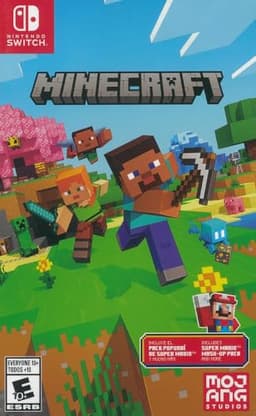
Minecraft is a game you buy for a specific device. Once they have it, the whole game is theirs. Mojang also runs the Minecraft Marketplace — maps, skins and mini-games bought with a currency called Minecoins — and says Minecoin purchases are final and can’t be refunded. On PlayStation 5 the store uses its own Tokens instead. None of that is needed to enjoy the game, but it’s where extra spending happens.
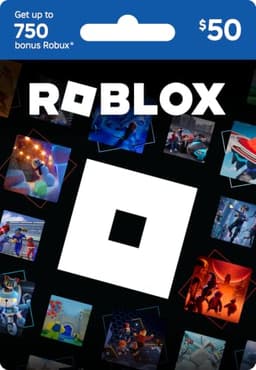
Roblox costs nothing to start: in Roblox’s own words, “Roblox is free to play.” Spending happens inside it, in Robux, and that is what a Roblox gift card is for. Two details from Roblox’s help pages are worth knowing before you buy one: gift cards are redeemed in a web browser rather than in the mobile app or on a console, and Roblox doesn’t refund them.
Age and safety, side by side
Minecraft is rated E10+ by the ESRB for Fantasy Violence — the ESRB’s summary describes players defending against enemies such as zombies and skeletons by striking them until they collapse. Mojang’s own parents’ guide adds that the game has a recommended PEGI rating of 7 and that there’s no blood anywhere in it. In Creative mode, Mojang says, mobs won’t attack you at all, which is why so many younger children play it that way. Our what age is Minecraft for guide goes through the settings in detail.
Roblox has no rating on esrb.org — a search for it returns nothing — though Roblox says its PlayStation version is rated T for Teen. Its own system is age-based accounts plus content labels on every game. Roblox Kids accounts, for ages 5 to 8, can reach games labeled Minimal or Mild; Roblox Select accounts, for 9 to 15, add Moderate; the Restricted label is only for age-checked users 18 and over.
Chat, friends and strangers
This is the question most parents are really asking. On Minecraft, Mojang says multiplayer is turned off by default on child accounts — which in the US means anyone under 16 — and only an adult account can switch it on, choosing whether the child can talk to everyone, friends only, or no one. On consoles, online play also needs that console’s paid online subscription.
On Roblox, all chat requires an age check, done by facial age estimation or ID. For a Roblox Kids account, chat is off by default and a linked parent account can turn it on; Roblox says 9- to 12-year-olds can chat with people in similar age groups, or with Trusted Friends with a parent’s permission. A parent links their own Roblox account to manage all of this, and can also block specific games and set screen-time limits.
Spending: the part that lasts after the gift
For Minecraft on an Xbox or a Windows PC, Microsoft Family Safety lets a parent require approval for every purchase; on other consoles, the console’s own parental controls do that job, and the ESRB keeps a guide to each one. Roblox lets a linked parent set a monthly spending limit — but Roblox states that the limit doesn’t affect gift card redemption, so a card you give adds Robux regardless. That’s arguably the point of the present: you decide the amount, rather than a saved card number.
Which one to give
- A child who plays neither, under about 10: Minecraft, played in Creative mode with multiplayer left off to begin with.
- A child whose friends are all on Roblox: a Roblox gift card, with a parent’s account linked first. Our gifts for Roblox fans page has more.
- A child who already loves Minecraft: they don’t need the game again — see our gifts for Minecraft fans who already own it.
- A household with a Nintendo Switch: Minecraft. Roblox’s own list of platforms doesn’t include the Switch.